Showing posts with label Filming. Show all posts

Sunday, July 5, 2015

Conducting a Video Interview

Written by Tan Ai Jin and Lee Rui Ci


In your internship, you may be tasked to conduct interviews on people.  The videos to be made can be about their profile, their lives, something they do or about their opinion on issues.  It is extremely important for you to have some basic knowledge on how to film a good quality interview as the video will be uploaded online and will bear the eHomemakers brand. Here is a really useful tutorial on conducting and filming an interview.

Storyboarding
The first step is to make sure you are very clear and focus about the aim of the video. What is it about? Who will be talking? How is their language fluency? What they may be telling you? What they may not be telling you but the information is important for the video? 
Write down some key points and key questions for the interviews. Use these as guidelines. Develop new and related questions as you listen to the interviews.

Filming
When filming an interview, follow the Rule of Thirds. You can also include variations to the angle position. Always use a tripod stand to avoid shaky videos. If you have to use a hand-held camera, position yourself correctly with a suitable posture and remember to lock your wrists.


Voiceovers
You can record good voiceovers with your head in a box or covered under a blanket to block the background noise. This is a cheap yet good alternative if you do not have a good microphone.

Interviewing Techniques
- Here are a few pointers to take note:
- Always ask your interviewee to look at you instead of the camera.
- It is best to conduct the interview seated.
- Ask the interviewee to answer your questions in full for easier editing. Eg, ‘I am so hungry I can eat every thing on my plate’, not “I eat every thing ( to make the information more complete so that the interviewee does not answer your question with part of the answer, therefore making the sentence uttered very disjointed.)”
- Do not interject your interviewee.
- Make your subject feel comfortable as it is in this condition that a message can be conveyed honestly. Watch these video for more detailed explanations:

Here are some videos of excellent quality produced by eHomemakers interns that you can follow if not outperform. J

Monday, August 4, 2014

Conducting An Interview

Written by Tan Ai Jin and Lee Rui Ci

In your internship, you may be tasked to conduct interviews. It is extremely important for you to have some basic knowledge on how to film an interview of good quality as the video will be uploaded online and will bear the eHomemakers brand. Here is a really useful tutorial on conducting and filming an interview.

Filming

When filming an interview, follow the Rule of Thirds. You can also include variations to the angle position. Always use a tripod stand to avoid shaky videos. If you have to use a hand-held camera, position yourself correctly with a suitable posture and remember to lock your wrists.


Voiceovers

You can record good voiceovers with your head in a box or covered under a blanket to block the background noise. This is a cheap yet good alternative if you do not have a good microphone.

Interviewing Techniques

Here are a few pointers to take note:
  •           Always ask your interviewee to look at you instead of the camera.
  •           It is best to conduct the interview seated.
  •           Ask the interviewee to answer your questions in full for easier editing.
  •           Do not interject your interviewee.
  •           Make your subject feel comfortable as it is in this condition that a message can be conveyed honestly.

Watch these video for more detailed explanations:


Here are some videos of excellent quality produced by eHomemakers interns that you can follow if not outperform. J

Jenny Pong – Her Eldest Brother

Wednesday, July 16, 2014

Writing Subtitles

Subtitles play an extremely important role in helping to convey the message of a video to viewers especially when the language spoken in the video is incomprehensive to the viewer. Writing subtitles not only requires good listening comprehension but you can also pick up skills such as storyboard conceptualization and summarization. These are the important points to keep in mind when writing subtitles:

  • Make sure the first letter is capital and the sentence ends with a full stop (or ? /!). 
  • Always be meticulous about grammar and punctuation.
  • Avoid lengthy sentences in a frame that stretches across the screen or takes up two lines.
  •  Break a sentence into frames if it is too long.


You can break a sentence in one frame into two and connect the sentences with “... ...”.

  • Use a simple and clean font and a clearly visible font colour.
  • Delete unnecessary words. Subtitles should be concise without deviating from the actual meaning.
  • Do not translate utterings that do not contribute to the the meaning of the sentence like ‘lah’, “umm”, “I see” etc. Make the translation concise. 


In this interview, Jenny Pong spoke in Cantonese. She said, “Saying sorry isn’t that difficult”. In fact, ‘not that difficult’ can be shortened to ‘quite easy’.

  • Condense proverbs or sayings of other languages to just their meaning. The other alternative is to translate the proverb/saying concisely and explain its meaning within brackets.
  • Allow longer subtitles to remain on the screen longer to allow more time for reading. 

Thursday, September 20, 2012

Monday, September 17, 2012

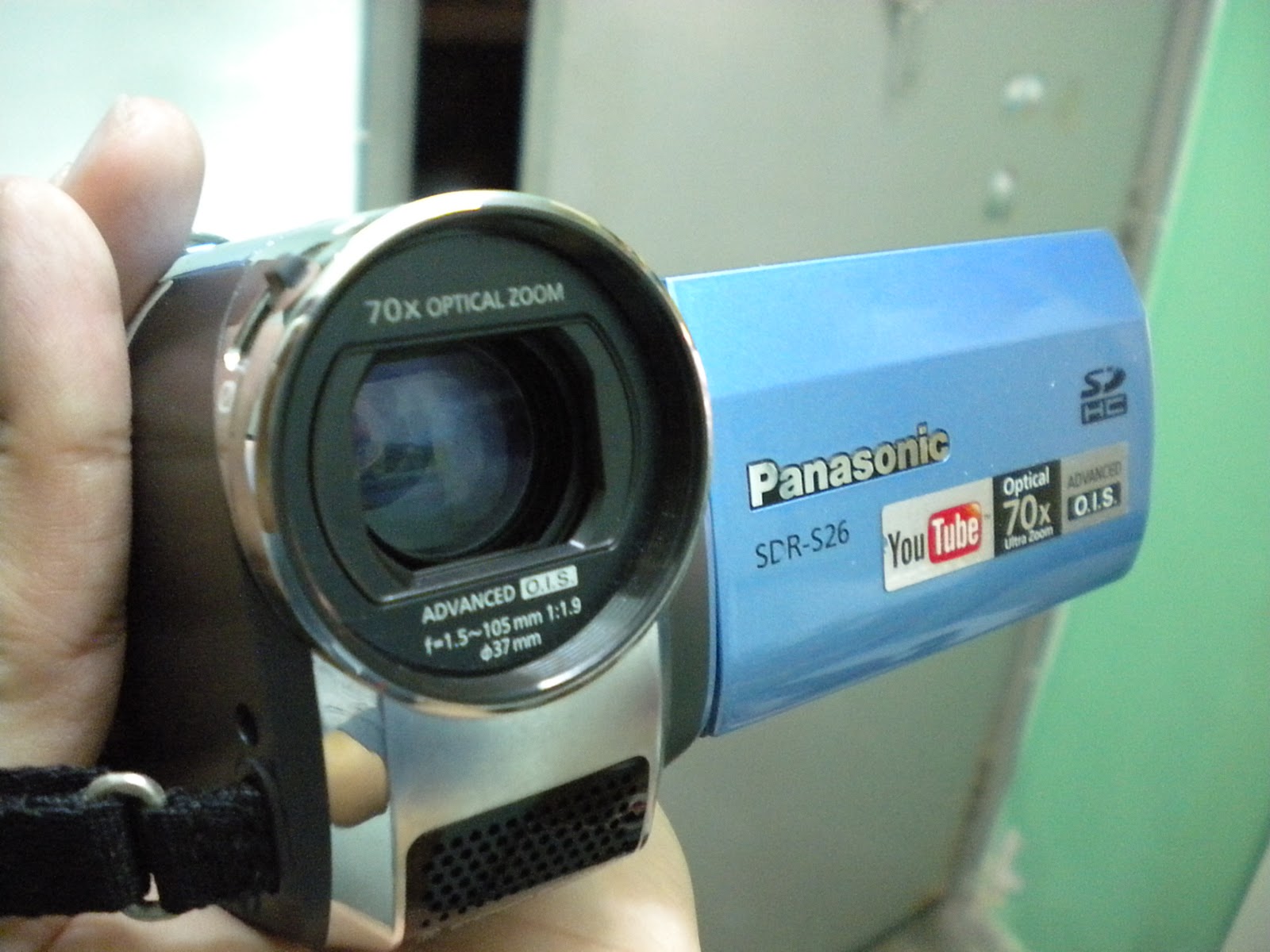
Camcorder Training Guide

How to Charge Battery

How to Film Video

How to View Videos

How to View Video on Computer

How to Turn Off the Camcorder

How to Film Videos


1. Hold and secure the camcorder


2. Go to the back


3. Open up the video flap


4. Notice camcorder is on OFF mode


5. Turn it to VIDEO MODE


6. Go to the front (notice the switch on the lens rim) 

7. Push the switch up to open the lense


8. Camcorder is now ready to record


9. Notice the RED BUTTON


10. Press it once to start recording


11. Recording


12. Press RED BUTTON once more to stop recording


13. Recording ended

How to Charge Battery


1. Notice the battery life indicator on the upper right side of the screen (CHARGE the camcorder when and only when the BATTERY is LOW)


2. Get the battery charger


3. Notice the flab below the bezel


4. Open the flap 

5. Take the small end of the battery charger


6. Insert it into the hole on the right side


7. Turn on the power source


8. The red light above the 'wheel' should pop up and start BLINKING (this means that it is charging)


9. Once the light STOPS BLINKING, off the plug straightaway (this means that the battery is fully charged)


10. IMPORTANT - Off plug immediately once battery is charged and do lot leave it charged overnight

How to View Video on Computer


1. Open the side flap as shown above


2. Get the cable connector


3. Plug it into the UBS Port


4. Insert the other end into the camcorder


5. Open up the video flap


6. Turn the switch all the way back to the GREEN PLAYBACK MODE


7. You should get this screen


8. Push the SILVER BUTTON to enter the web


9. Please wait


10. You should then be able to view your videos on your computer


11. Remember to OFF your camcorder after you've finished

How to View Videos


1. Notice the camcorder is in RECORDING mode


2. Turn it to the PLAYBACK mode


3. You should be able to view the screen


4. Push the SILVER BUTTON to start the video 

5. Your video should automatically start and end by itself


6. Push the SILVER BUTTON to end the video early

How to Turn Off the Camcorder


1. Notice that the camcorder is in playback mode


2. Turn the bezel to the OFF mode


3. Go to the front


4. Push down the lens switch to close the lens


5. Go to the back


6. Close the video flap